Week Four 17 MAY 19

This week continued with Sound Design & Synthesis with Audio Editing #2. I started this week early as I was going away on a work trip for 2 weeks so I needed to put this into consideration with my study. I notified my lecturer that I will be away and I was given the link to the video for this week early. This video focused on Ableton and the ability it has to edit audio within it. It showed the warp clip functions and the simpler function. I have previous experience using the warp markers and I used them this week when I was editing a recording of my foot slamming on the ground in an indoor basketball court at work. I used these markers to make the sound more of a flowing echo and a deeper sound instead of how the original was recorded. The difference between the two sounds are below: 

The video also focusses a lot on the simpler function and how it is used within Ableton to edit a sound. I have not used this technique before and I would be very interested in using it somewhere in my compositions to see what this function can actually do.

Continuing my Sine Wave composition, I changed the delay preset on Synth 4 from the motor city preset to the Lady Delay preset as I felt it delay just a little bit better. I then duplicated this track called it Synth 5 then added a tape echo and then changed the feedback and mix till it made a sound which I thought had the right amount of delay and echo for the track.

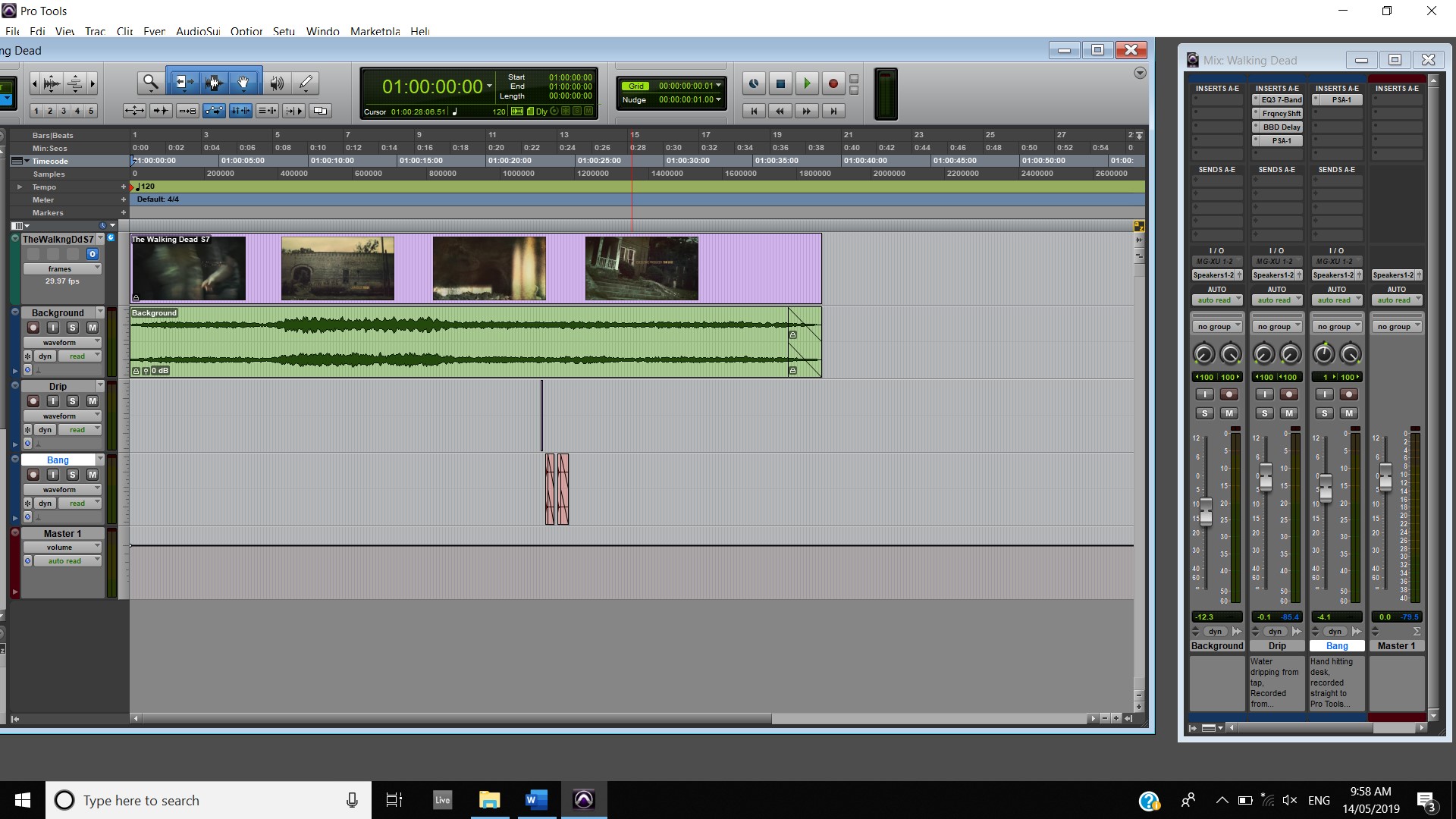
I also did a lot of recording for my Walking Dead submission this week, I started by recording on my phone a water tap dripping for the intention of using this for the part of the opening theme where the Axe is dripping blood. I recorded this sound and then converted it from a M4A to a WAV file then inserted it into pro tools in the correct position. I then added a number of effects, I added an EQ3 7-Band and modified it to take out as much of the background noise as possible, I then included a Frequency Shift and changed the Frequency and mix and feedback. I then added the BBD delay and selected the something preset but turned the mix right down and the feedback right down too, I wanted to get just the slight delay of the drip for the purpose of basically making the bloody axe a shocking image and an image which gains the viewers’ attention. I then thought that it wasn’t punchy enough so I then added a PSA-1 and selected the bright lead preset.

I also recorded a bang noise for the Walking Dead composition by recording straight into Pro Tools my hand banging against a nearby desk. I then edited the track and moved it around to fit it around the video where the zombie is banging against the door. I then added a PSA-1 and selected the preset dirty drums to beef up the sounds and then I added fades to both of these clips.  
I also updated all of my sound design videos by deleting the musical parts as I misunderstood what we were actually trying to achieve this term, I started to compose a musical background to compliment the sound designs.
Nike Progress
Unravel Progress

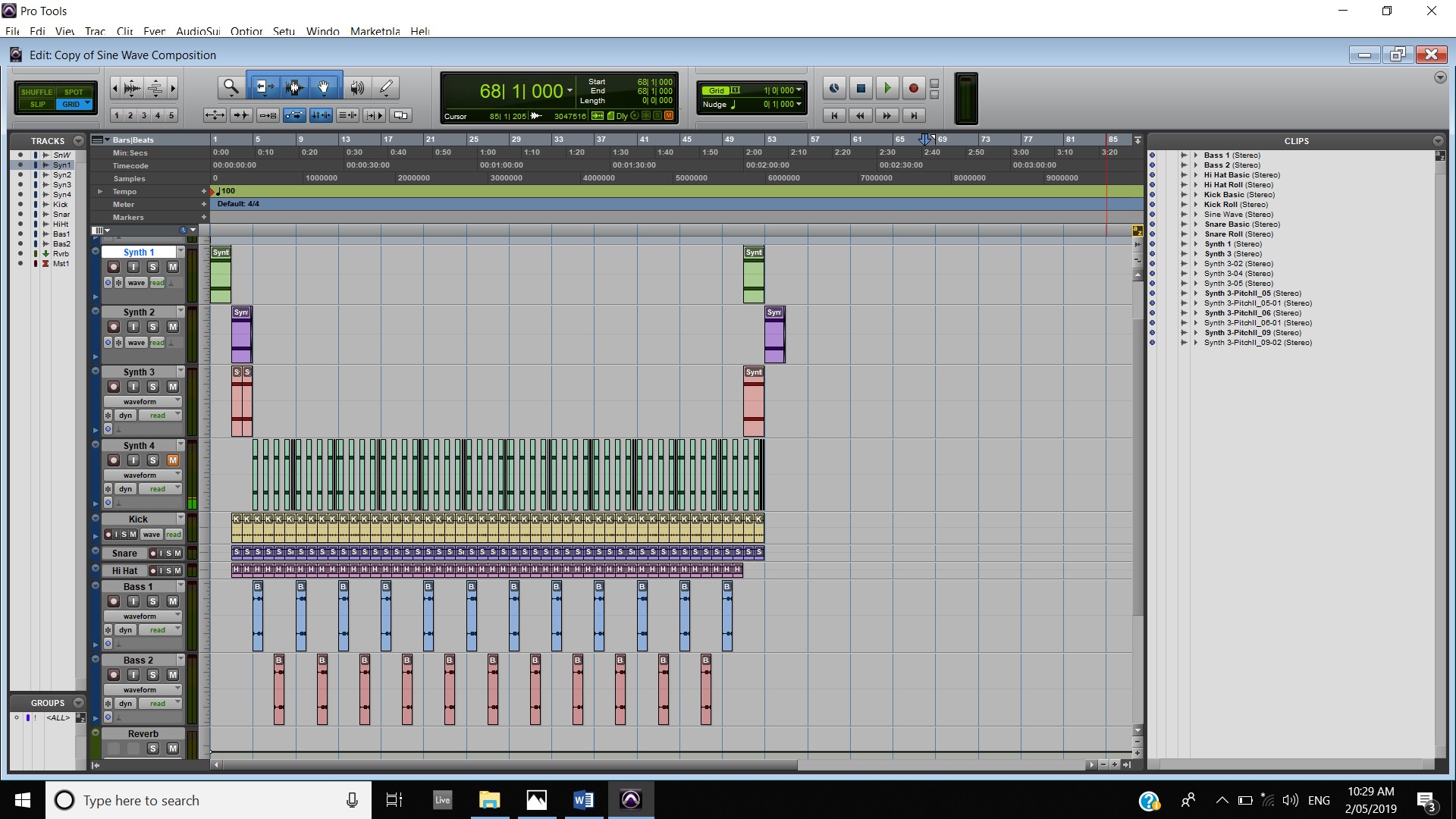
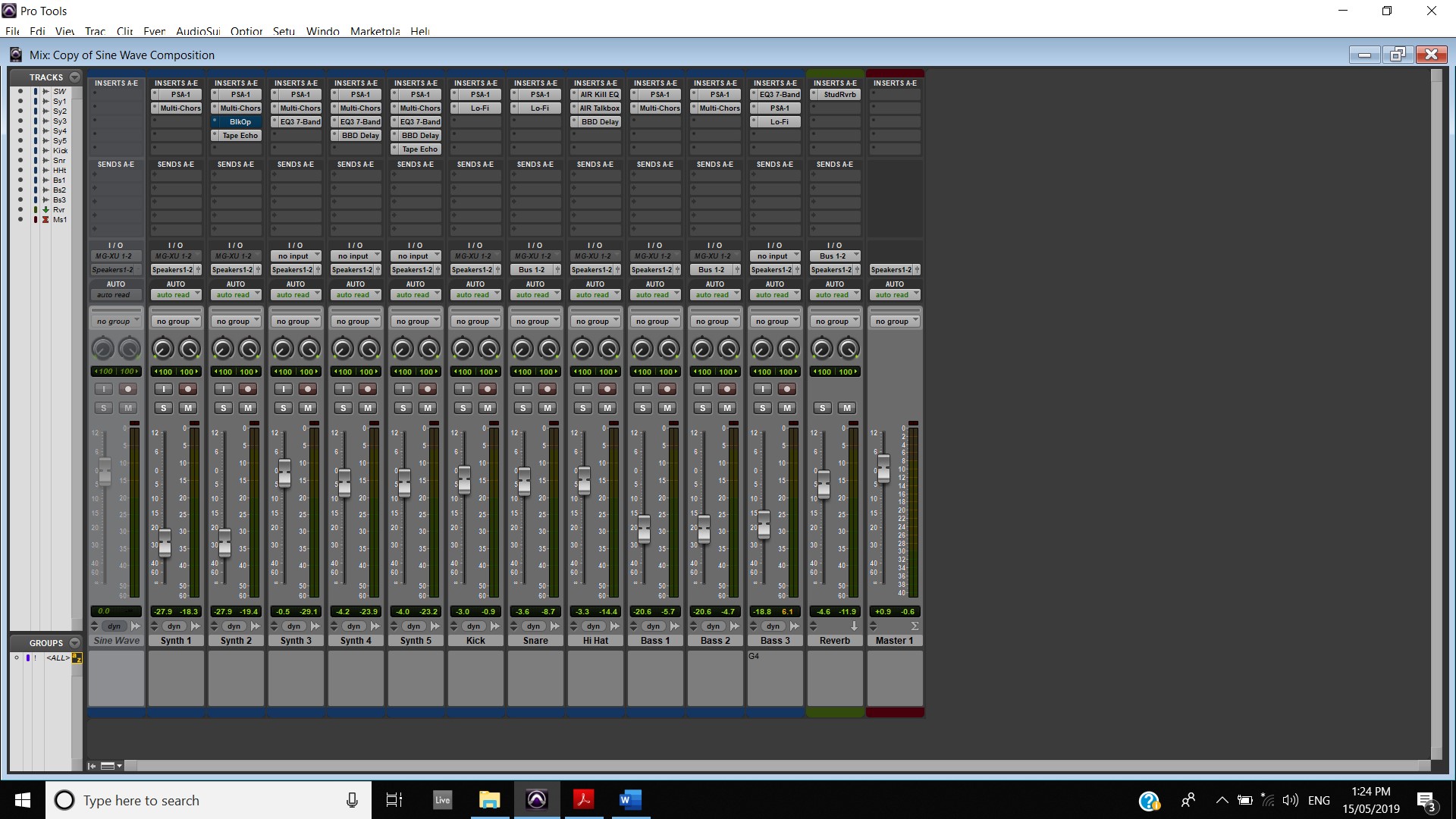
Being out on a work trip means my access to continue work on my assessments are limited but I was able to do work on my Sine Wave composition. I continued to add some variation to the composition by removing parts and adding some parts in throughout the track. I composed a little bit of a build up part where I dropped all of the parts except for the snare and kick and slowly added in the synth parts to create a little drop part which went back into the main part of the composition. For the second part of this composition I added an extra bass part with bass 3 and I added some variation in this part by using three notes (A4, B4 and G4) and changed the length of a few notes to create even more variation. I then preceded to add effects to this track. I added an EQ3 7-Band and selected the Bass monster preset and modified it a little, I then a added a Sans Amp and selected the Only Bass preset and boosted the low and lowered the high, I also raised the drive just a tad. Finally, I added a Lo-Fi and used the Trash Bass preset and modified the distortion and saturation. I started working of track panning on this composition too, by transposing Bass One, Bass Two and Synth Four to the left and Bass Three and Synth Five to the right. 
Week Three 10 MAY 19

This week continued the study of Sound Design and Synthesis with a start on pro tools editing. There was a video focusing on the Elastic Audio function within Pro Tools and how it can be incorporated into productions. This function is very similar to the warp function in Ableton. There is a setting called varispeed and this was used to create different effects by either slowing or speeding up the sound file. I plan on incorporating this technique into my Nike video by recording some footsteps then stretching out the sound a little and adding a little bit of reverb. I plan on doing this when Kobe takes a step and the camera is focusing on his shoes.

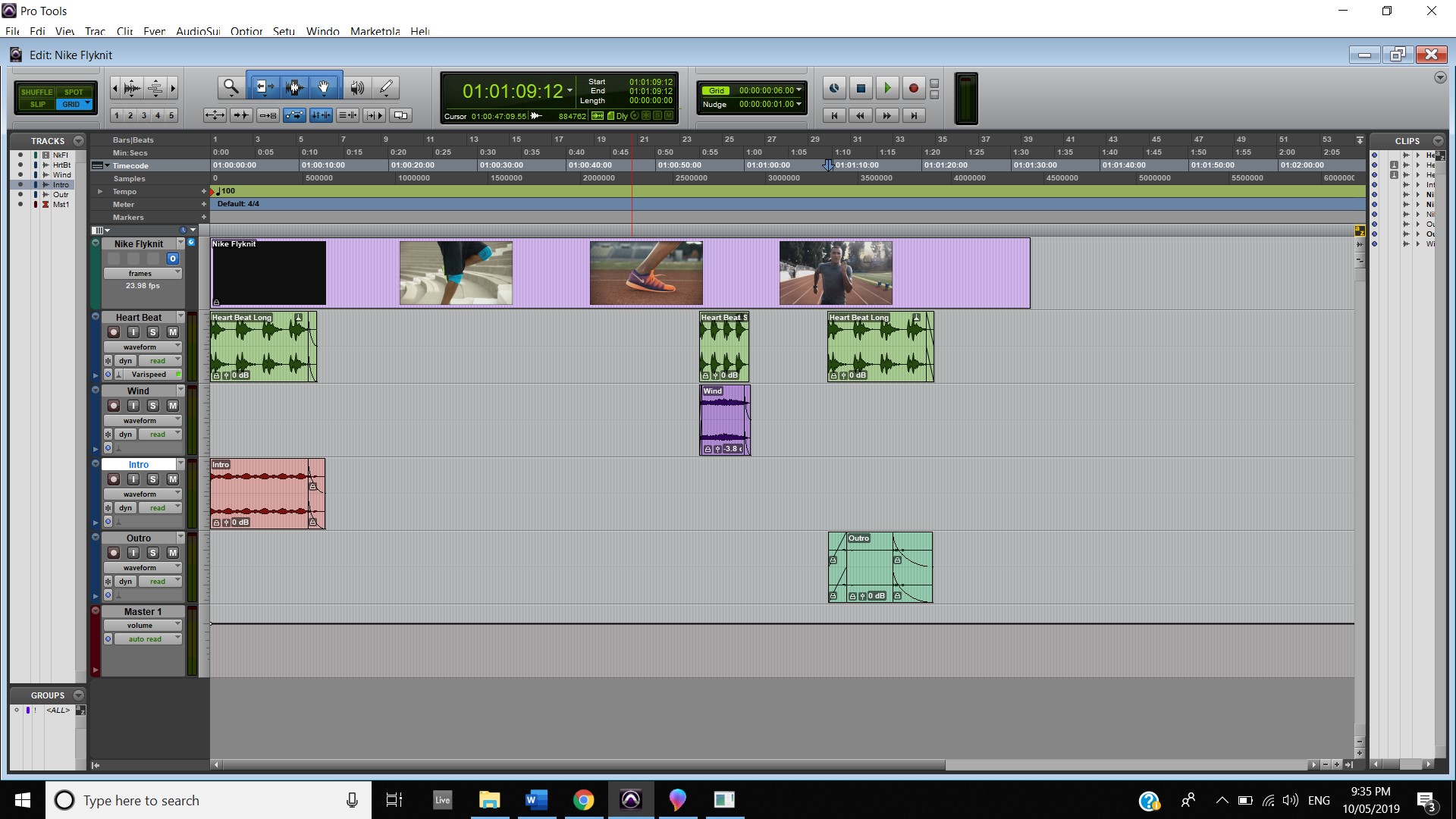
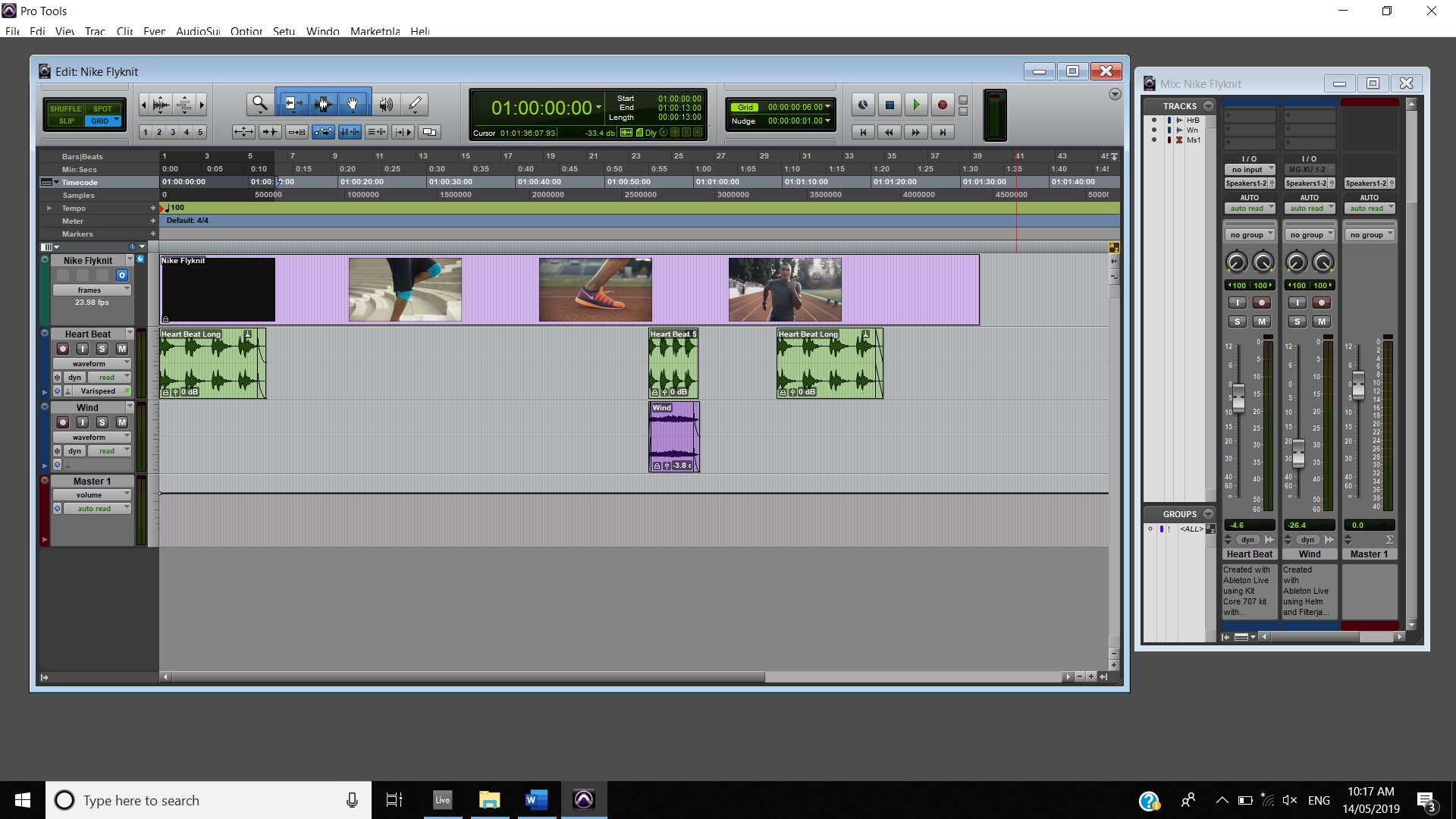
Continuing work on my Sound Design Assessment this week, I started by focusing on getting the sounds I currently have onto their respective videos. I wanted to work on the Nike video first as I already had some decent sounds for this video. I begun by changing the tempo to 100 BPM and then creating a new track for my heartbeat. I then added the varispeed elastic audio to my track and then using TCE I stretched the clip the entire length of the intro. This created this deep, slow heartbeat sound which I quite like. I also decided to add the wind effect during the slow-motion part in the middle of the track which compliments the heart beat as well. However, I wish to play around with this and add some effects to it. I also added the droning intro and outro parts to the parts where Kobe is present. This creates a much more tense feeling in these parts as opposed to my intro/outro that I submitted during Digital Music #2.

Nike Progress

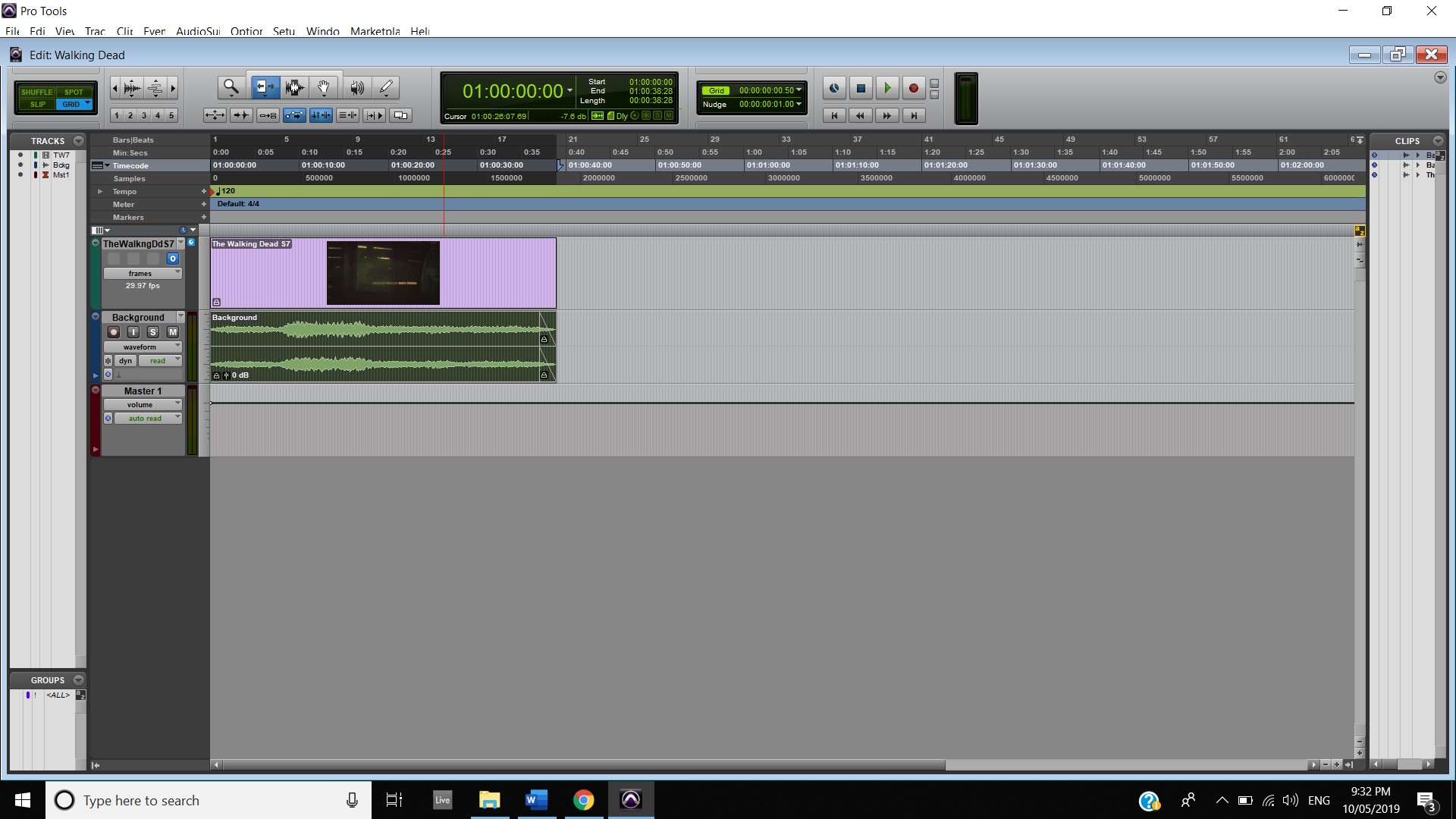
I also continued work on my Walking Dead submission. I begun by fixing up the Horror background sound and exporting it from Ableton to place into Pro Tools. I then watched the video to see what other sounds I could use. I wrote down these ideas for me to work on in the coming weeks.

Walking Dead Progress

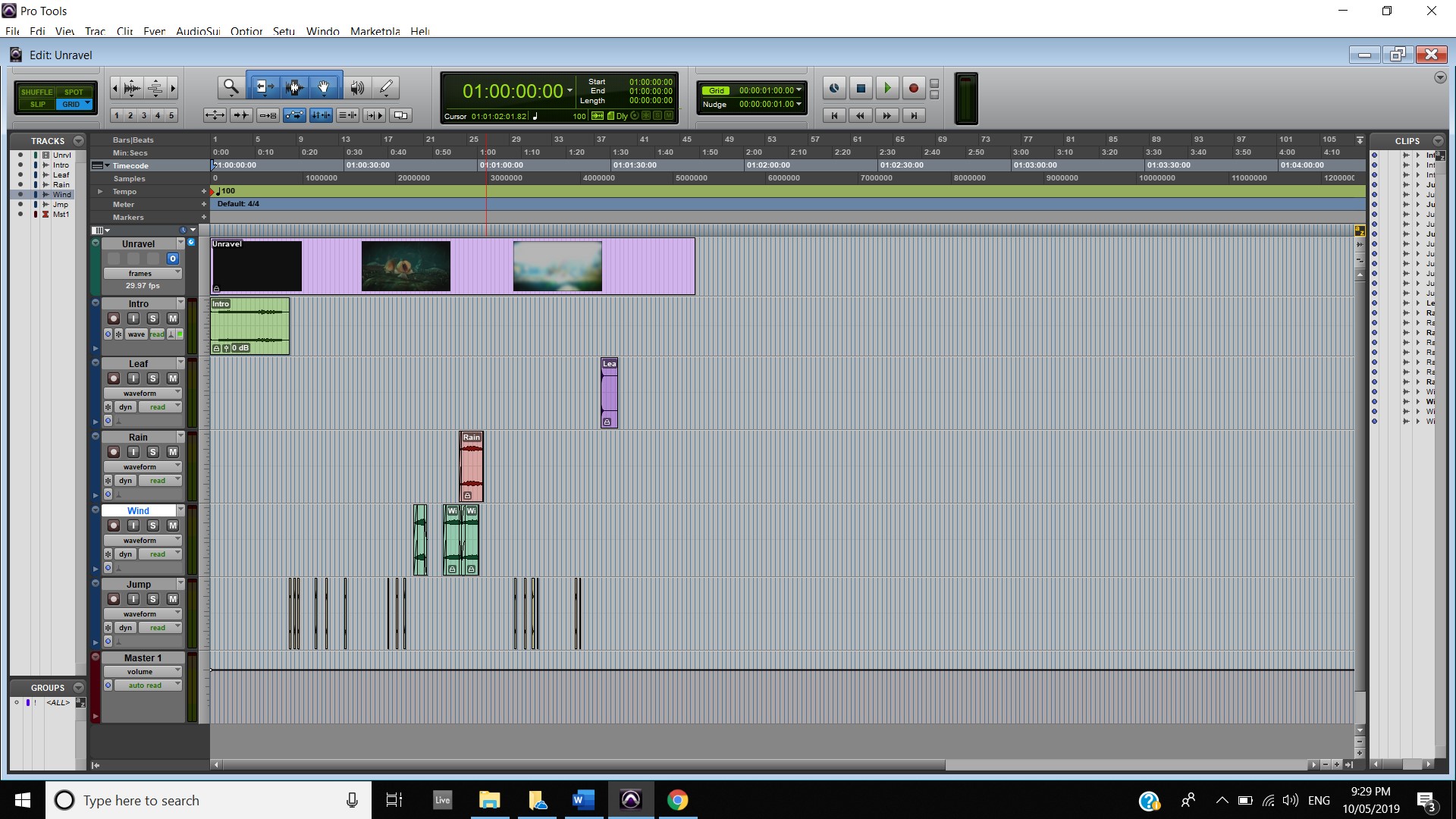
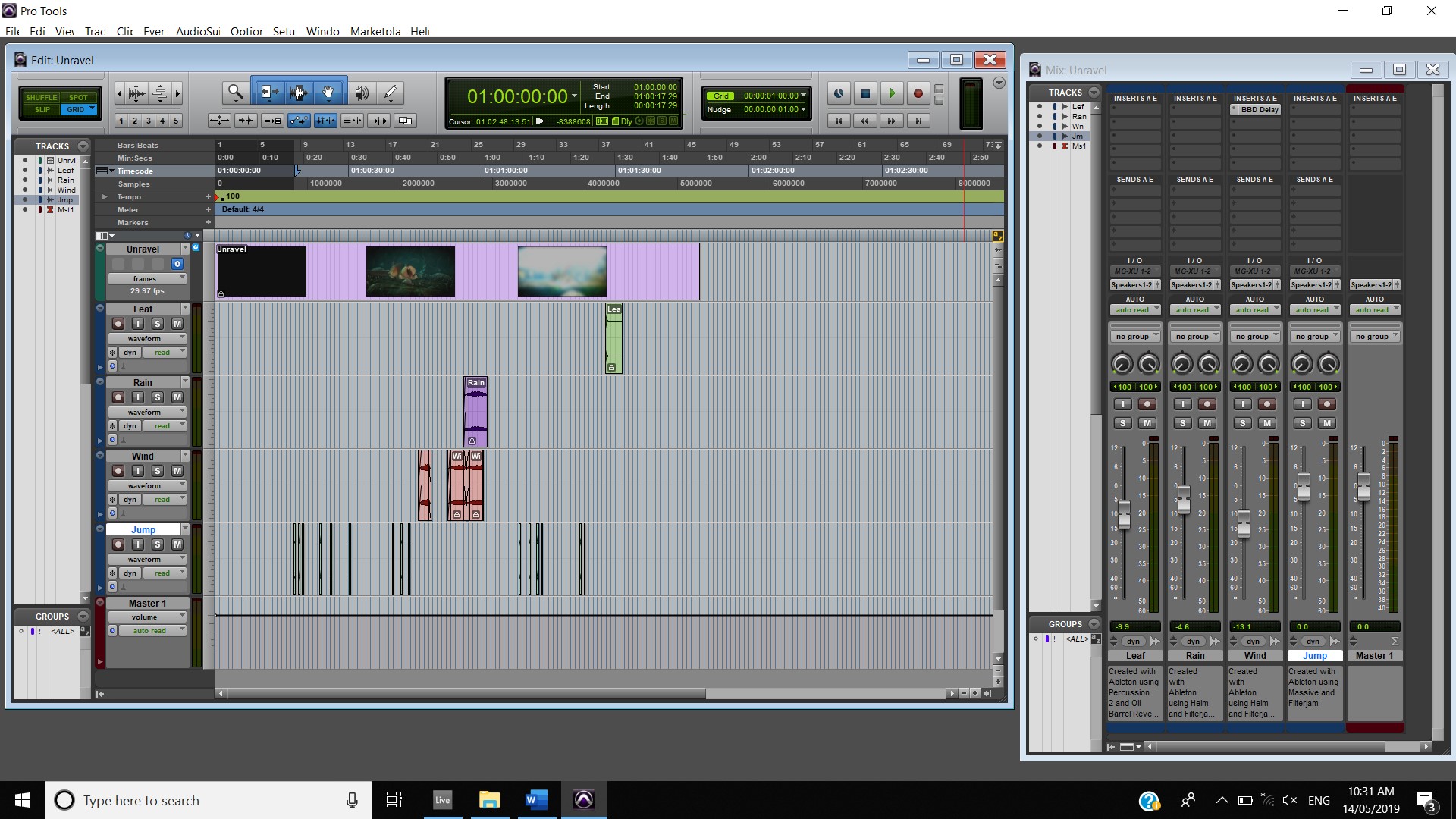
The unravel video was quite an easy start to make as I already made a few of the sounds last week. I begun by exporting the little intro I made (which I created by modifying a preset on massive called “going to California” and also added Resonant Air preset in Filterjam) from Ableton to Pro Tools. Looking back at this Intro I feel like it still needs some work and I will most likely modify this in the coming weeks. I exported the leaf sound (created using an impulse rack with some added reverb and erosion) for use at the end of the video for when the character falls into the pile of leaves. I also exported the wind sound I used for the Nike video as I thought it would be a good sound to use during the snow scene and also the scene where he flies on the kite. I then added the BBD delay to this track and selected the preset called trick out. I also decided to use the Rain/Wind sound during the raining scene but I also wanted to use the wind sound during this scene as well so I lower the volume for the wind sound so that the rain sound was really in the foreground. I also imported the video game jump noises into Pro Tools. This sound was created using the massive synth with the pad enhancer preset on the Filterjam over the top. I then started to line the jumps up with the jumps in the video. I used varying notes of this synth to add excitement and variation to the jumps as the character is progressing through its journey. An example of the jumps are below:

Unravel Progress

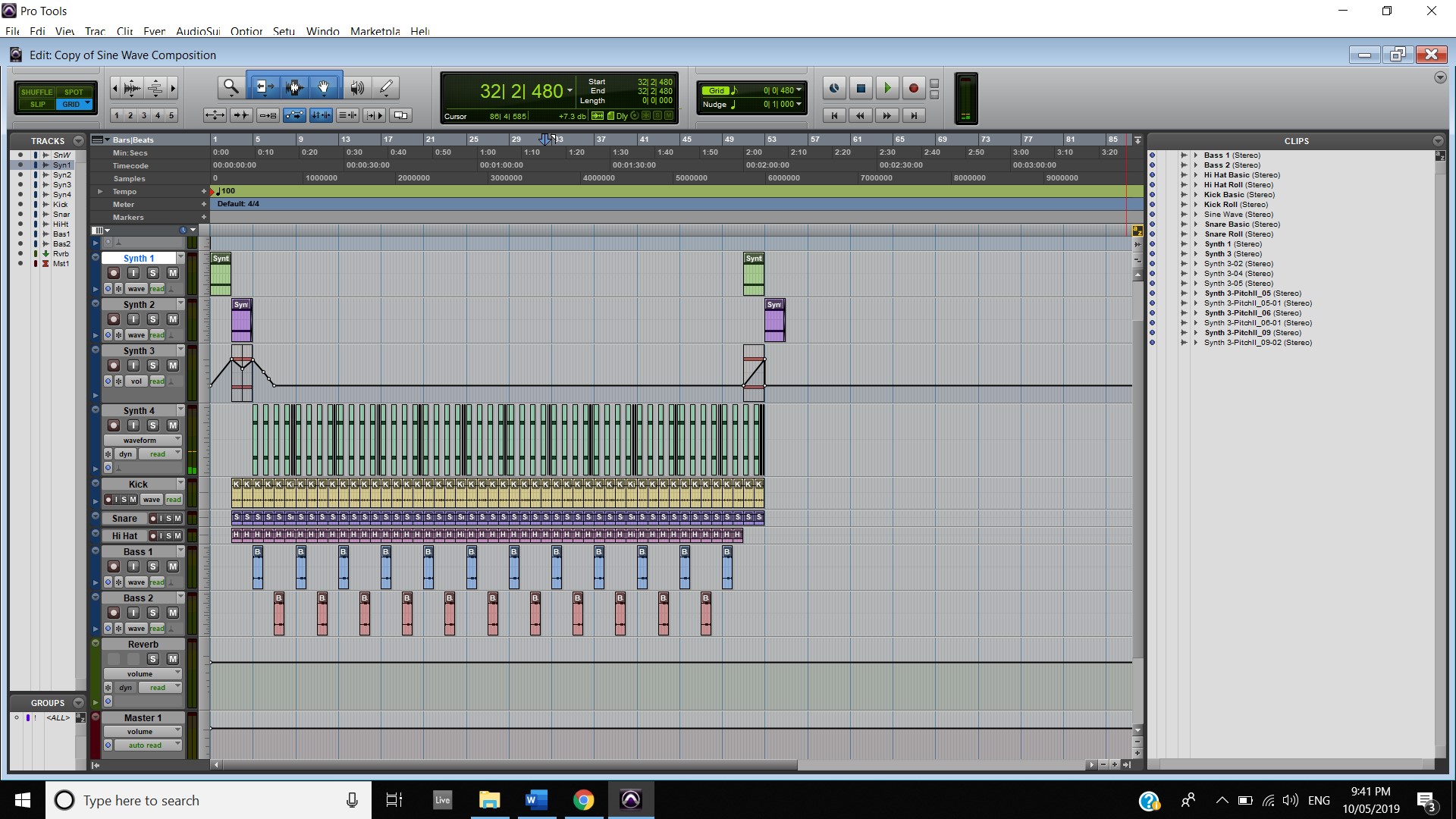
I have not really focused on the Sine Wave Composition this week as I will be mainly focusing on this assessment for the next two weeks as I will be away on a work trip and I will be unable to work  on my Sound Designs videos during this time based on the equipment needed to work on it.  This is why I spent most of my time this week on those assessments.

Sine Wave Progress

Week Two 04 MAY 19

This week continued with the basics of synthesis with Fundamentals of synthesis #2. The main activity of this week was constructing a sound bank using synthesisers for use in the assessment submission. We learnt how to create an instrument track in Pro Tools but due to the AAX file format for the Helm plugin being unavailable I chose to use Ableton for this activity and to create the sound effects for my assessment and I will export the audio for use in Pro Tools. As a part of the activity this week we were required to submit two sounds that were created using synthesis, I chose to create a Horror background for use in the Walking Dead video and a Storm/Rain sound for the Unravel video.


I made the Horror background using a Synth plugin called Massive from Native Instruments. I selected a pre made setting called ” In 2036″ and from there I modified it to my liking. I raised the pitch of OSC 2 by 2 while lowering the intensity of OSC 1. I changed the Filter from a low pass 2 filter to a filter called scream, I then saved this preset as my own. I also added the Filterjam plugin and selected the Resonant Air preset and lowered the Emphasis, the gain and the mix. I think the result of this will be useful.
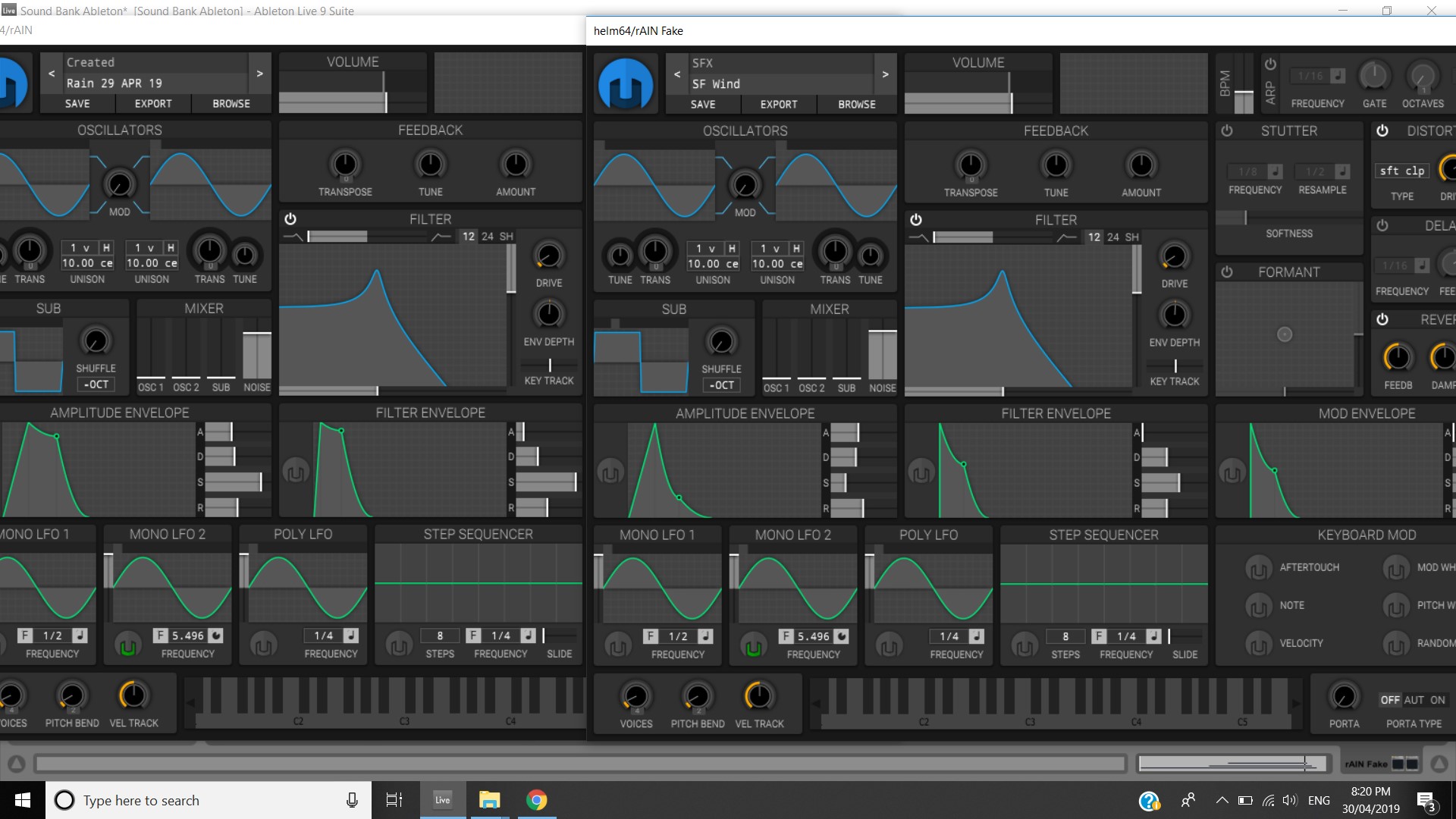
For the Storm/Rain noise I used the Helm Plugin and selected the preset called SF wind. From here I modified the preset quite a bit. I lowered the noise on the mixer a tad, while also lowering the drive on the distortion module. I lowered the Feed and the mix on the reverb module, but increased the damp. I also increased the ADSR on both the Amplitude envelope and the Filter envelope as shown on the image below. I also added the Filterjam plugin and modified the settings. I increased the Frequency, Emphasis and Gain. I also set the Operations Switch all the way to the right. The Mix setting was also increased to the max. I think in the end it created a sound which is similar to that of a storm with heavy winds.

ADSR comparison


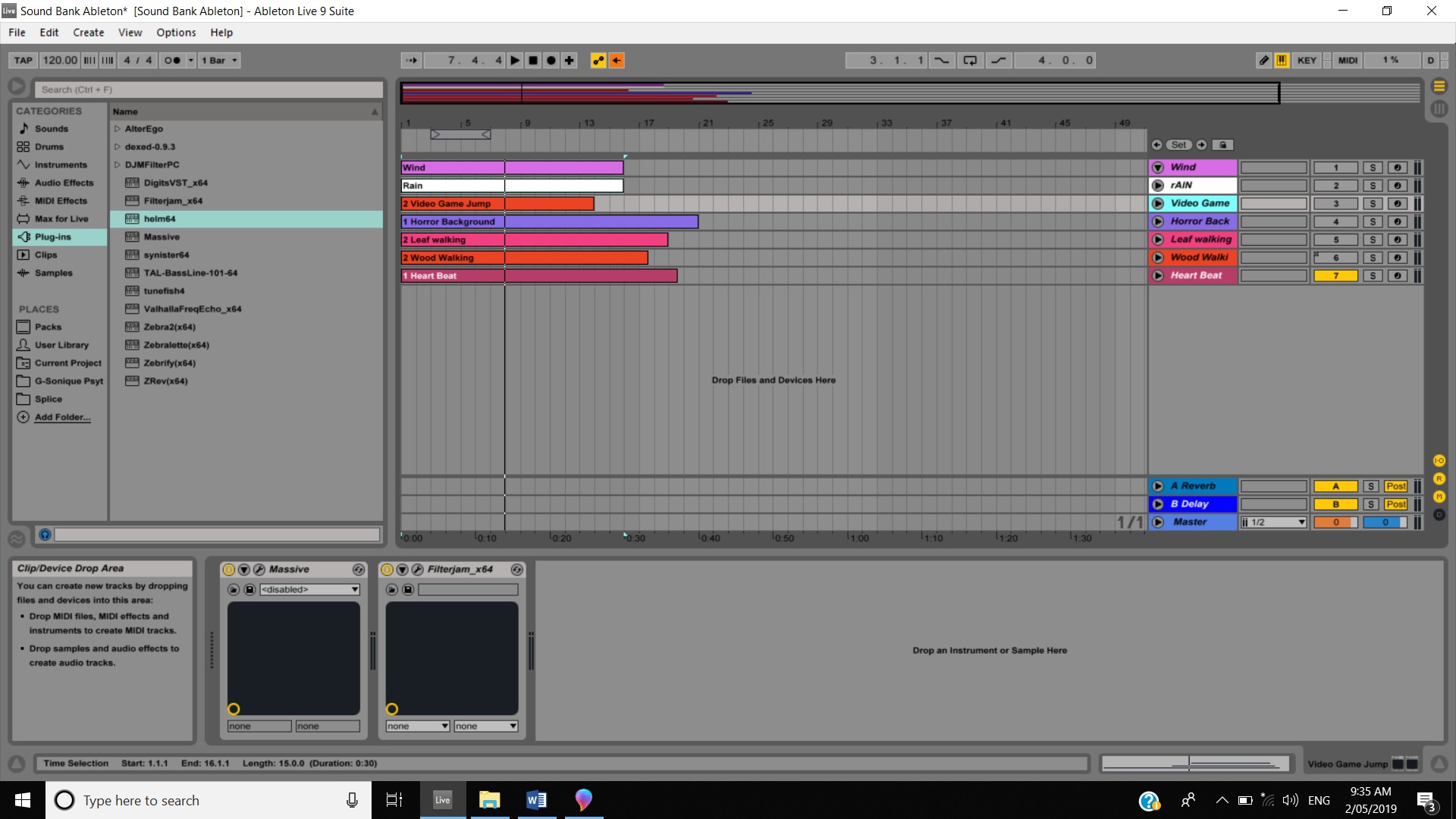
I also created in my sound bank a sound for wind, a video game jumping sound, A couple of walking sounds and a heartbeat. I created these sounds in both Massive and Helm. Over the coming weeks I will continue to use this sound bank as I see the value of collecting all of my sounds that I have created in one location and the use of keeping them separate from the actual production till it is required to be uploaded to it.

Sound Bank Progress

This week I also did also of work on my Sine Wave assessment. I started by modifying the bass I had from last week, I made another copy of the track and sent the output to the reverb track to create a little bit of a call and response effect. I then added four synths to be the melody so to speak. I made a full bar full of sine waves and consolidated it for use in all four synth parts. The first part I used for the intro and outro and added a SansAmp and a multi chorus (which I used for all four parts), the second synth I used directly after the first synth to create kind of a wind down effect, I used the same two plugins that were used for the first synth but I also added a Black Op Distortion and a Tape Echo. The third synth I used in line with the second synth and added a EQ 7-Band. For the four synth I added a BBD Delay and I also cut the full bar sine wave into to ¼ notes and 1/8 notes and then changed the pitch of a few to create a basic melody. I need to continue working on this as it doesn’t feel complete yet.

Sine Wave Progress

Week One 27 APR 19

Week one of Sound Design and Synthesis focused on the Fundamentals of Synthesis like the three elements of sound being Pitch, Timbre and Volume and how each of the seven different types of synthesisers manipulates each of the three elements and the original sound. I actually have previous experience with the Helm synth application before and I had it on my laptop prior to commencing this unit of study so I am familiar with the different type of waveforms that relate to subtractive synthesisers. This week also had a quiz based around the knowledge of synthesisers. I found a few of the questions easy but I was challenged by a lot of the questions as even though I have used synthesisers before I never knew how they actually worked.

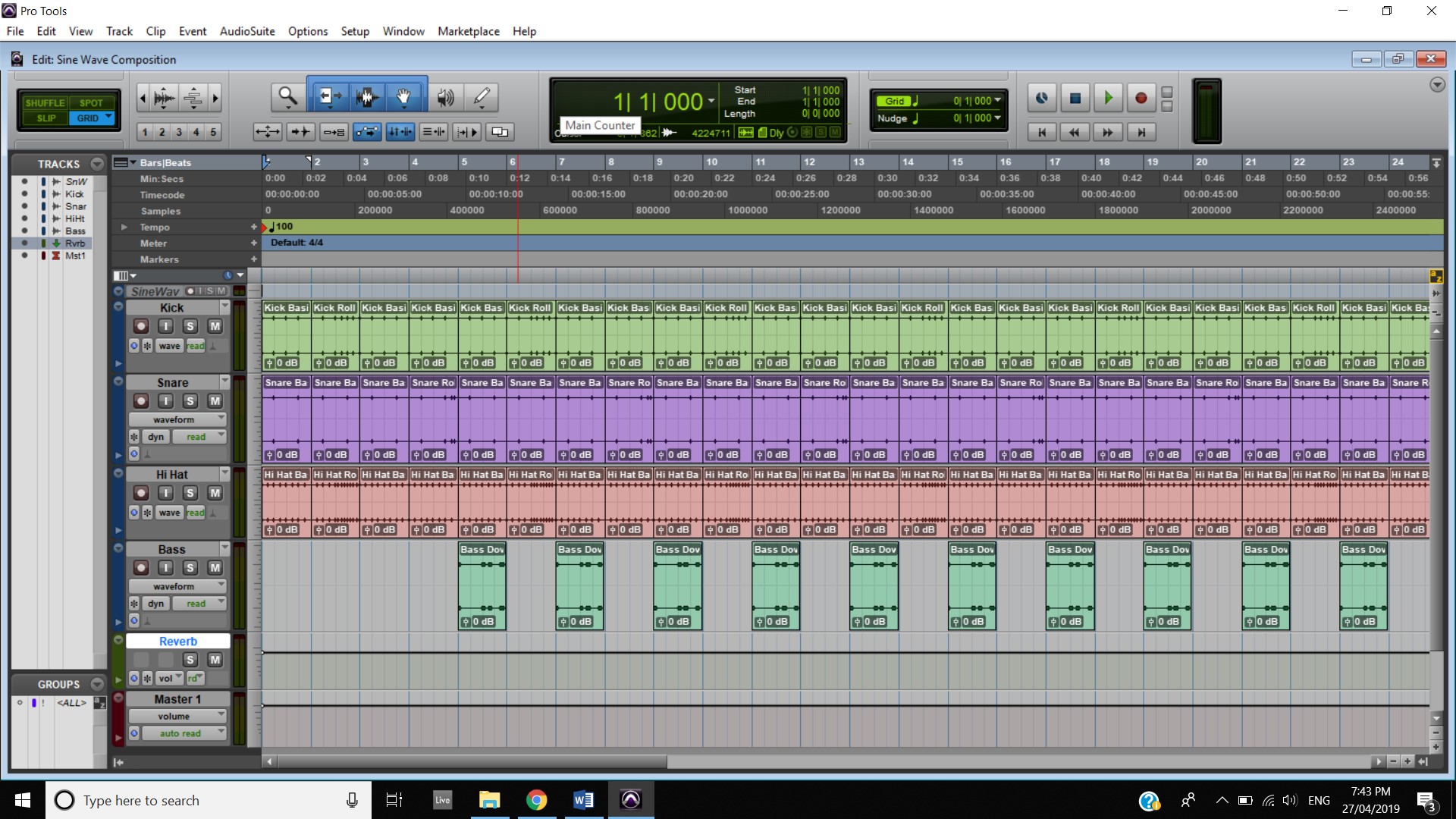
This week I also set up all of my Pro Tools sessions need for the submission of my assessments. I then begun to work on my Sine Wave Assessment. I started by creating the 1 kHz Sine Wave and isolating a single cycle of the wave. I then used this to create the 4 tracks I made this week (Kick, Bass, Hi Hat and Snare). I added a SansAmp and a Lo-Fi to the Kick track to give it a little meaty feel and added some variation to the kick every 4th bar to keep it interesting. I then went to work on the snare, I added the same two plugins to this track but modified them slightly to create a snare rattle. I then sent the output to an Aux track which has a reverb on it to give it a even greater snare feel which pops. I also gave this track variation every 4th bar as well. Working on the Hi Hat, I didn’t want to make a traditional hi hat, I wanted to give it a bit of a wooden feel so I modified the Air Kill EQ and the talk box plugins to create this sound. I then added a delay to create a tiny bit of a roll effect with each hit of the note. I also lined up the variation in the hi hat with the Kick track so it adds to the complexity of the overall production. Finally, I begun work on the Bass. This track was the hardest I found to work on this week and it will probably need more work in the following weeks to come. I made a beat that fits in with the other tracks and used a SansAmp to create a sort of 8 bit, video game feel which is where I want this production to basically end up. I then added a Multi Chorus to create a Dynamic feel.

I definitely feel I have made a strong start to this assignment and I think it only becoming a stronger submission as the weeks go on.   

Week One Progress

Week Ten 04 APR 19

This week started with me looking over the other students’ submissions and providing feedback to them. The quality of submissions is very high and it made me reflect on my own work and how I did things differently and how they did things differently and in some cases their work suited the video more than my own. So, I sat there and looked at how I can look at improving my composition before having to submit them on Friday. I then edited each composition another time before exporting them from Ableton to convert over to Pro Tools. I then opened Pro Tools and dragged them in, I then went to the mix window and used the comment section to comment the third-party loops used (Stadium Loop for the Nike Video, The Piano Loop for the Walking Dead Composition and The Guitar Loop for the Unravel Composition) and that exported the .WAV files from Ableton and added effects to the tracks on Ableton.

I always have a bit of issues uploading my zip files based on the speed of my internet connection so I made sure I allowed myself enough time to upload them but I wanted to make sure I was 100% happy with the submission before I did this as I started uploading to Google Drive on Tuesday 2nd of April to make sure I still have a couple of days till submission. Speaking to the instructor I was notified that I needed to do my mixing in Pro Tools and not Ableton Live. I found out that the mixing levels are different between each DAW and that I basically had to re do my entire mixing in Pro Tools even though I mixed it all in Ableton. This is a lesson I have learnt for next time as it will save me a lot of time leading up to submission.

Looking back over the entire term I found it very educational overall, from learning about composer and how they composed famous pieces in pop culture to learning about a lot of the compositional techniques used. I will continue to use these techniques in the future to add more depth to my composition and productions.

Week Nine 30 MAR 19

This week was set aside so we can show our work to the other students. I wanted to show my Nike composition and my Walking Dead composition. I wanted to show my final version in video as I wanted to show how it all fit in, I struggled trying to export the video directly from Ableton and I spent a lot of time on google trying to figure out why it was not working but it was not clear. So I competed my mixing for the Nike video and exported it so I can throw it onto Pro Tools. Throwing it onto Pro Tools was an easy task and it was fairly easy to change the tempos to suit the changes in the video. I then uploaded it to YouTube to share the link.

I then went to work mixing my Walking Dead composition to prepare to pull it over to Pro Tools. When I finished mixing it, I exported it and dropped it into pro tools. I then decided to export it for the use of uploading to YouTube so I can add it to my DRF post.

After getting feedback from a fellow student in regards to my submissions I have taken this advice on board and have modified my composition accordingly. I have raised the level of the heart beat and I also removed the panning effect on it because it was clearly having a negative impact on this part and on the submission as a whole. I also modified the intro synth a little and added a Resonator effect to it, I also turned it down to not make it so much in the foreground. I also found a recording of a stadium crowd from splice sounds and I decided to use this to create more substance within the intro and outro and to also portray the thoughts within Kobe’s head for example the sounds he hears on game day etc.

I also had another look at my walking dead submission. After the fellow student’s advice I removed one of the breaths and also moved another to make it sound a little bit better. He mentions that the music makes it feel sad/reminiscent which is actually what I was going for, so admittedly I haven’t changed as much. I did however bring the BPM back down to 105, as I felt it was still quite fast for the whole theme I was going for.

This week I also went away for a work trip and it was hard to work on my submissions on this trip but I managed to do some work on my unravel composition. As much as I like it quite simple I feel like I might lose marks for it being too simple so I decided to add underlying parts underneath the lead piano part. I added a small guitar part which was found on Splice Sounds to be played during the lead piano part. I also added a synth to be placed in the background to give it a bit more depth. I also added a Violin part to the intro and outro to add more parts while still keeping this character’s “innocence”

Week Eight 23 MAR 19

This week continued the study of Digital Music #2 with more Compositional Techniques #5. It begun with a study of the theme for the show Westworld by composer Ramin Djawadi. It was interesting to read that the tempo for the composition is 111 BPM and could be related to binary which is related to a theme of the show, I liked this possible inspiration due to the fact that I personally work within the IT sector so I can relate to this as well. I personally think the use of Timeless instrumentation is interesting as it features classic instruments which don’t age ( Piano and Strings) and based on the plot of the show being an old Western theme park in the future, I find the Piano and Strings to be related to more to the Western theme then the future theme and seeing the AI playing the piano is just a unique aspect to this intro.  I do like the call and response parts of the Westworld theme and I feel I could incorporate this method into my secondary idea for my Nike composition as I have been struggling to find ideas for this. Using Colour Tones with my Chord tones will help add to the interest of this second idea thus making it much more exciting than what I originally planned so I plan on incorporating this as well. I also quite liked the Arpeggio section as I believe it is a good way to transition from the call and response section to the climax section, as it flows very nicely. After going through the study of the theme song, I decided to return back to Week 7’s activity and review the related keys concept. I also did my own personal googling on this subject to help improve my knowledge on this as I can see how this can be useful in future projects.

I continued work on my secondary idea for the Nike composition and I made changes from last weeks work. I moved to BPM back down to 120 as the majority of EDM sit around this 120-140 range and having it at 170 BPM was just a bit fast and my ideas kept running back to a drum and bass beat. I also changed the key to C major, this was purely so it was easier for me to produce something for this video. I created two parts and a bassline, the two parts will be doing call and response. I also included a drum loop sample which I found on Ableton, I mainly included this as I wanted to see how drums sounded within my secondary idea and I didn’t want to get “bogged down” working on a drum beat instead of spending time on my primary composition. I chose not to use this second idea as I don’t feel like it really fits the video really well, I feel like if I spent more time on it that might change but due to the time constraints this was not possible, the other reason is that no matter what I put into this second idea I was comparing it to my primary idea as I like it so much the second idea couldn’t compete. The second idea is below:

I finished my secondary idea for the Walking Dead composition this week as well. For this idea I kept it in the key of F minor, I did however bring the BPM back down to 110 as it made the rolling synths sounds sound a bit rougher which I think added to the dark, horror effect I wanted to achieve. I also re used the background atmosphere sample which I found on Splice Sounds and placed it way in the background like my primary idea, so it only really adds a “rumble” which can only be just made out to the ear. I also used a chord of F, A# and B and duplicated it and added two different synths to them from Massive to create different effects. Below is the secondary idea:

I actually do like this second submission and feel like this could have actually been used for my primary one. It achieves the dark, techy, gritty horror feeling I got inspired by from the Resident Evil movie theme song I watched/listened to the previous week. However, I feel like using this idea for my primary would be too much of a cliché and since the beginning of the term I didn’t want to do anything cliché and Horror related for this composition. I feel like my primary idea captures the isolation and loneliness of survival and being the only human around etc.     

Week 7 16 Mar 19

This week focused on more Compositional Techniques with Compositional Techniques #4. It focused on Scale Tones and Pedal Tones and Modal Concepts and also an analysis of the Game of Thrones Theme Song. Having a very basic knowledge of music theory I took a lot away from the video in general but watching it being applied to a theme song known throughout the entire world was interesting and inspiring. I have been inspired to attempt to include Pedal Tones and Scale Chords within my composition to elevate the complexity and add suspense to the compositions. I feel like these techniques will be particularly useful for the intro and outro of the unravel video, also the synth part I have on the Nike video where Kobe is lining up a shot. 

After watching this week’s activity, I decided to change my intro and outro for the unravel video into a C major scaletone triad, I also added a reverb effect to turn on for the last chord which compliments the rising effect of the other tracks. I think this idea works better than my secondary idea which had a different effect during the intro even though each intro are slightly similar in the fact that the chords gradually rise in each intro, they both creates different effects within each respective composition, The secondary intro I feel is too complex to match what is happening within the video and the finalised version is a much more simpler intro which I think supports the pre adventure and the innocence that this character contains. The secondary idea also felt kind of basic after the intro part, I prefer the idea I went with as I feel it just flows more with the narrative of the piece and follows the adventure of the character, for example a lower octave from when danger is around or when the mood could be low. The example of my secondary idea is below:

This week I also looked into my secondary submission for my walking dead composition. This time around I wanted to focus on synths more and explore that dark, horror theme as having watched Resident Evil on the weekend and listening to the main theme song of the movie, composed by Marilyn Manson, it was dark and really added to the suspense of the movie. The theme is linked below:

I also started work on my secondary ideas for my Nike composition. I wanted to go with something completely different to see what I can use for this video, to challenge myself, I guess. I decided I wanted to use synths again and have these synths running over the top of a bassline. I decided to keep the Key and the BPM the same just so it still has that fast pace “running” feel to it, but more of a mainstream EDM beat instead of a Drum & Bass beat.

Nike 2nd idea bassline

Week Six 09 Mar 19

There was no set lesson for week 6 and time was allocated to work on the assessments to prepare for submission. I spent a lot of time this week reviewing the work I have currently done to see if I like it and if it achieves the effect that I want it to. This is to prepare it to be transferred as a master track from Ableton Live Suite into Pro Tools for submission. Using Ableton Live to begin with has vastly aided me to help complete this assessment as I am very familiar with the software so aspects like navigation and taking advantage of the features of the software has been very easy to achieve.

This week I also revised last week’s material to help cement it into my brain. I think I will continue doing this in the following weeks as it is helping quite a bit actually, especially on the music theory side. I also have been doing my own study of music theory from a textbook as I see it valuable to have this knowledge.

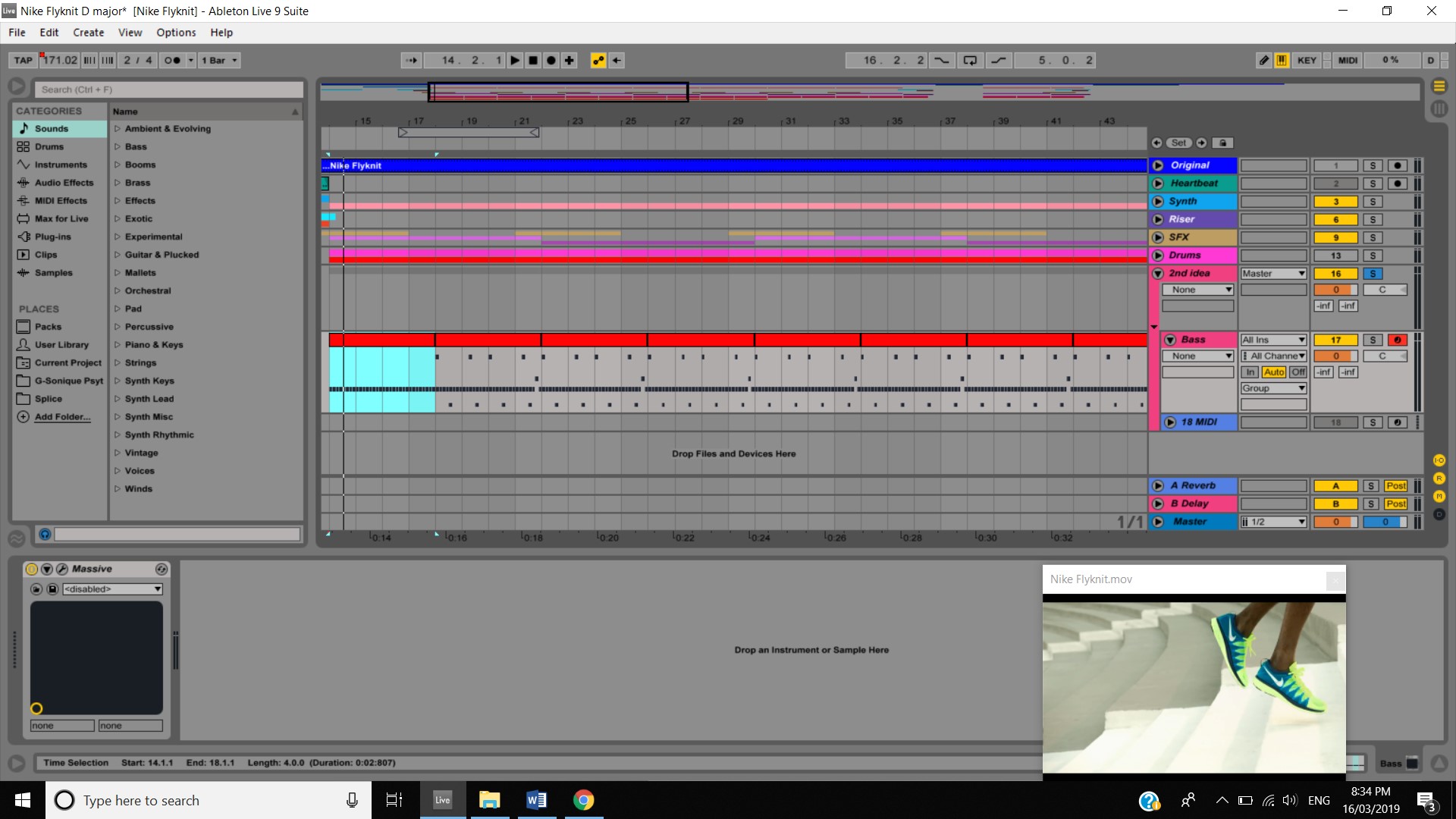
While looking over my videos this week, I made some changes to each of the music accompanying the video, doing this has improved each video in their own right I believe.  I added some reverb to various parts on the Nike video as it gives it a more “drum & bass” feel and this is what I’m going for as Drum & Bass reminds me of running, I also noticed that there was a slight timing issue with the transitions from 120 BPM to 170 BPM, I made the minor adjustment and corrected this. I also changed the key of the piece entirely from C major to D major, this is because I noticed the part I composed while Kobe is lining up a shot there was a chord that was not in C major so therefore, I changed the key of the rest of the piece to suit this.  A comparison of the two parts are below:

During the week I watched one of my favourite Netsky music videos as it has a “extreme sport” theme and this help continue my inspiration and help fuel more of my creative thoughts for the Nike video. This is the video:

I also removed even more of the vocal gasps and noises I got from Splice Sounds for the Walking dead video as I found they were still quite distracting and very overpowering. I left a few of them and spread them out and added effects such as reverb and ping pong delay and it adds more of an effect with them being spread out then more often, I feel like this is a case of less is more.

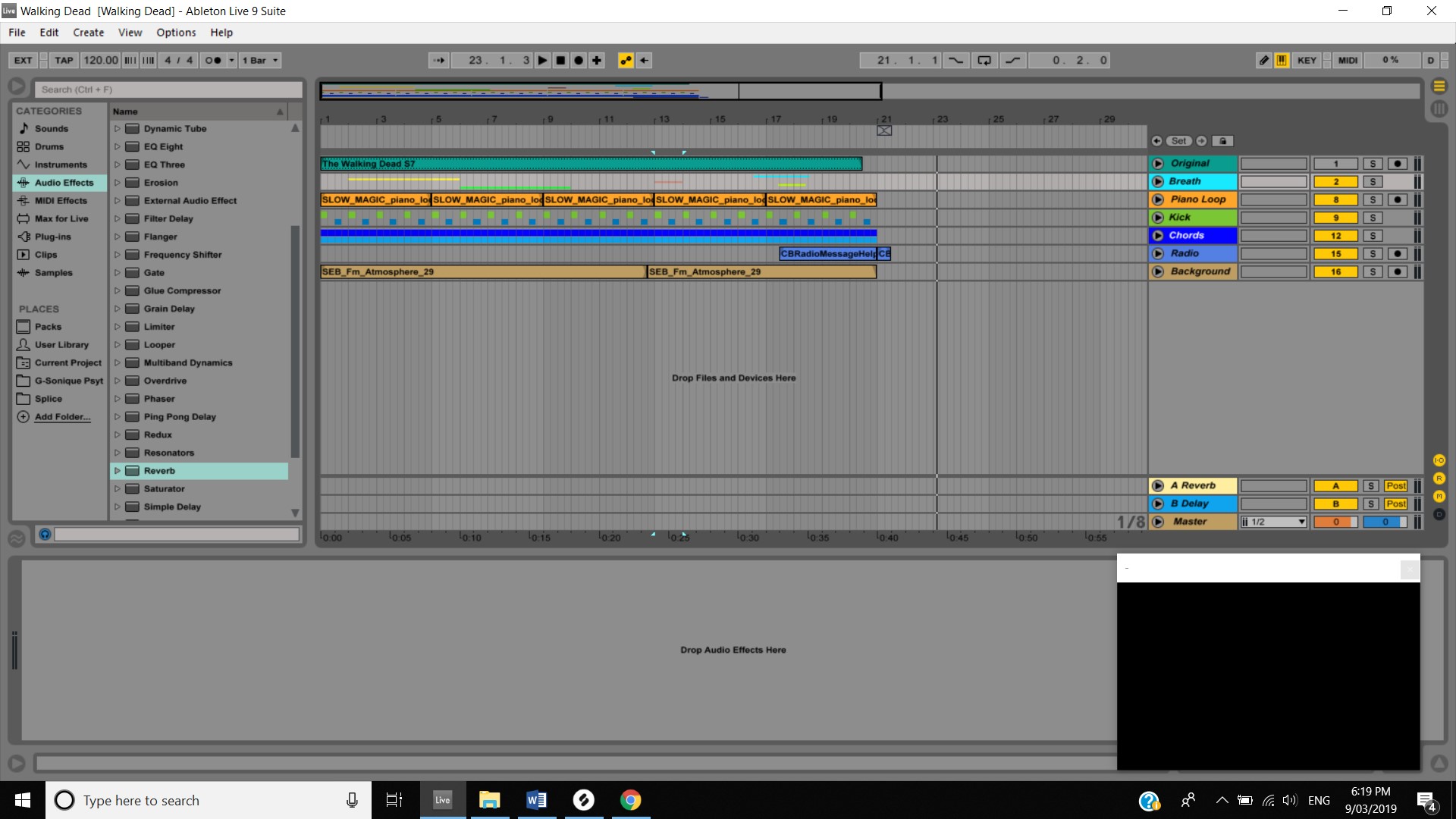
Week 6 Walking Dead progress

I started to look at the effects and the track panning on the Unravel video and have been playing around with adding more parts to this as it seems simple however the fact that a piano part is carrying the piece, I feel like I don’t want to over complicate it by adding other parts.

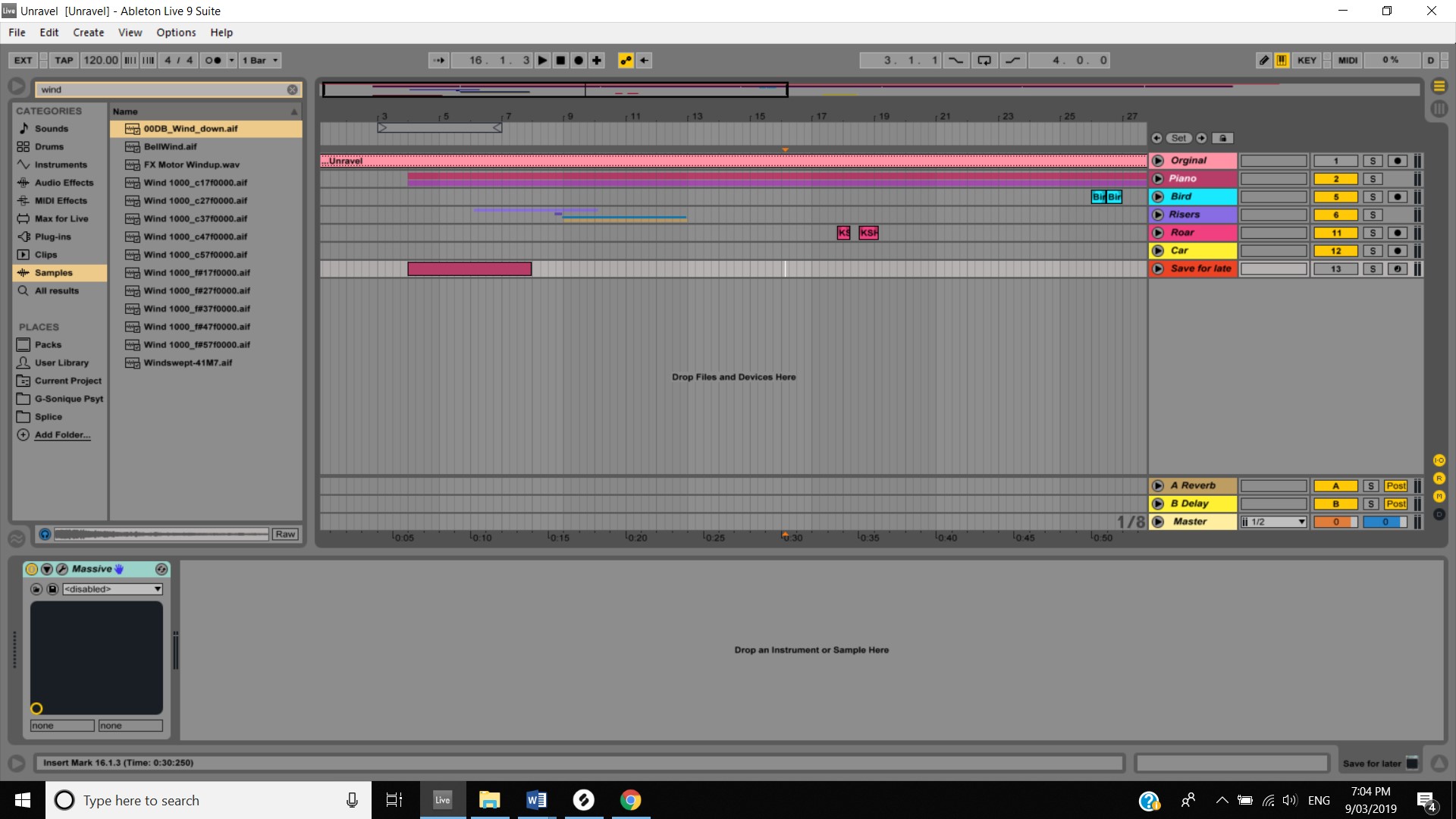
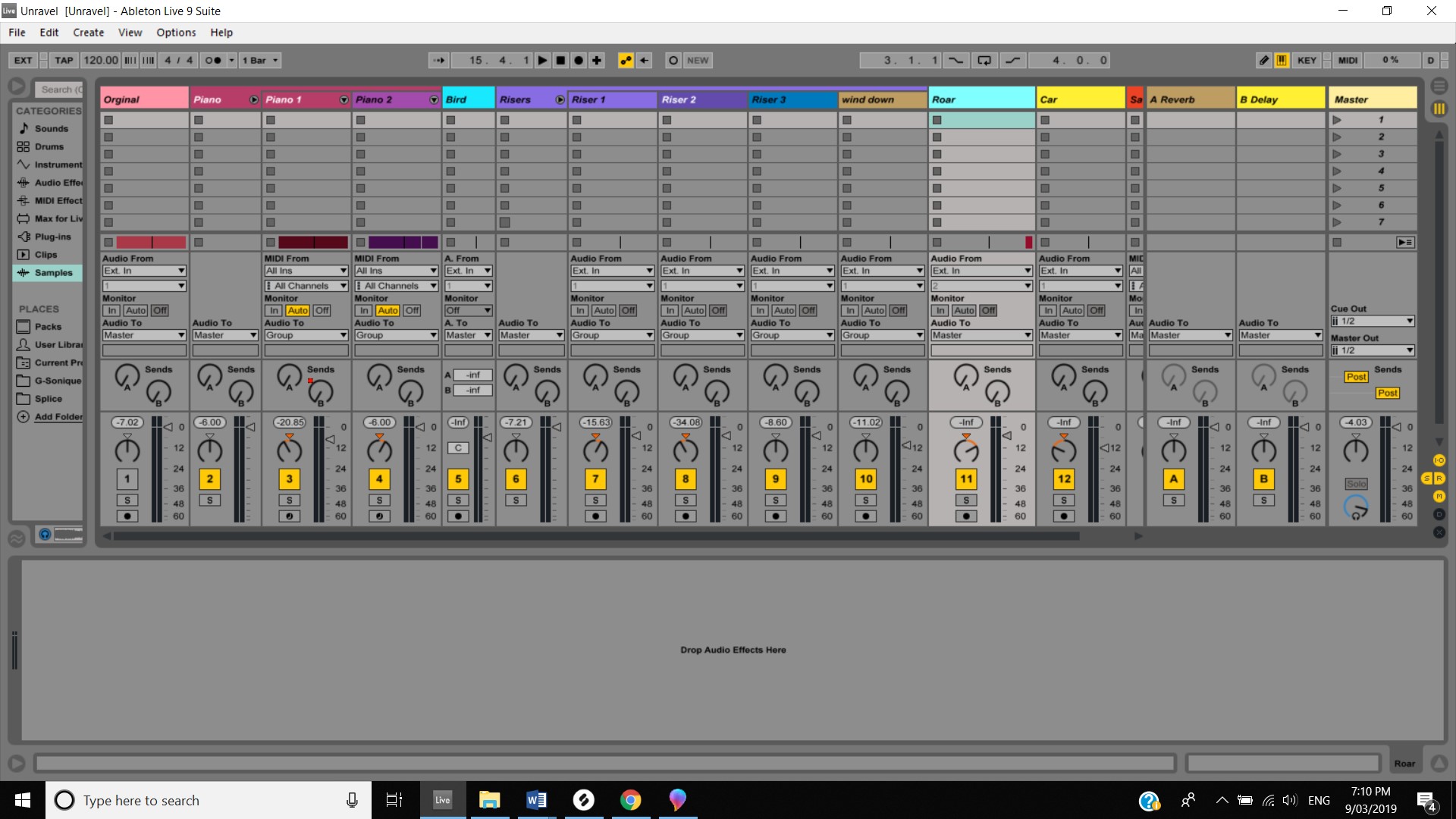
Week 6 Unravel Progress

Week Five 03 Mar 19

Week 5 of the study term focused on Compositional Techniques #3. I begun this week with looking at a PDF on Contrapuntal motion and how it is two different melodies which move together and how it is used within a piece of music. Previously I have seen producers use this technique before but I was not aware of the name. I have actually used it myself as well by including Oblique motion in previous productions to create a “drone note”. Listening to the Interstellar end credits these techniques really did come through as it is obvious that Oblique motion is used here. After hearing this, it gives me some ideas on how I can incorporate a Contrapuntal motion into my Unravel video.

This week’s video focused a lot of music theory which is an area I could always improve in. So, I found it valuable as I was able to get the knowledge that will help me not only for submission of my assessment but for future musical endeavours. I will be watching this video a few times through and will be using the PDF of the intervals and triads to aid me through the assessment. I asked for some help from the lecturer with starting the unravel video as I have mentioned in previous weeks in the blog posts I have been struggling with this. William made a post on the Discussion Room Forum about some ideas that could help with beginning this composition. There was a point made on Star Wars and how the characters have a Birth, Death and Rebirth. I watched through the Unravel video and noted that this also applies to the wool character. Birth at the start of the video of when it is leaving the house, the death being the adventure and the rebirth of when it lands in the pile of leaves and finds the wool flower. So I composed a part that I am going to use for the intro and also reuse that part but modify it slightly for the outro, this will represent the Birth and Rebirth. This is that Part :

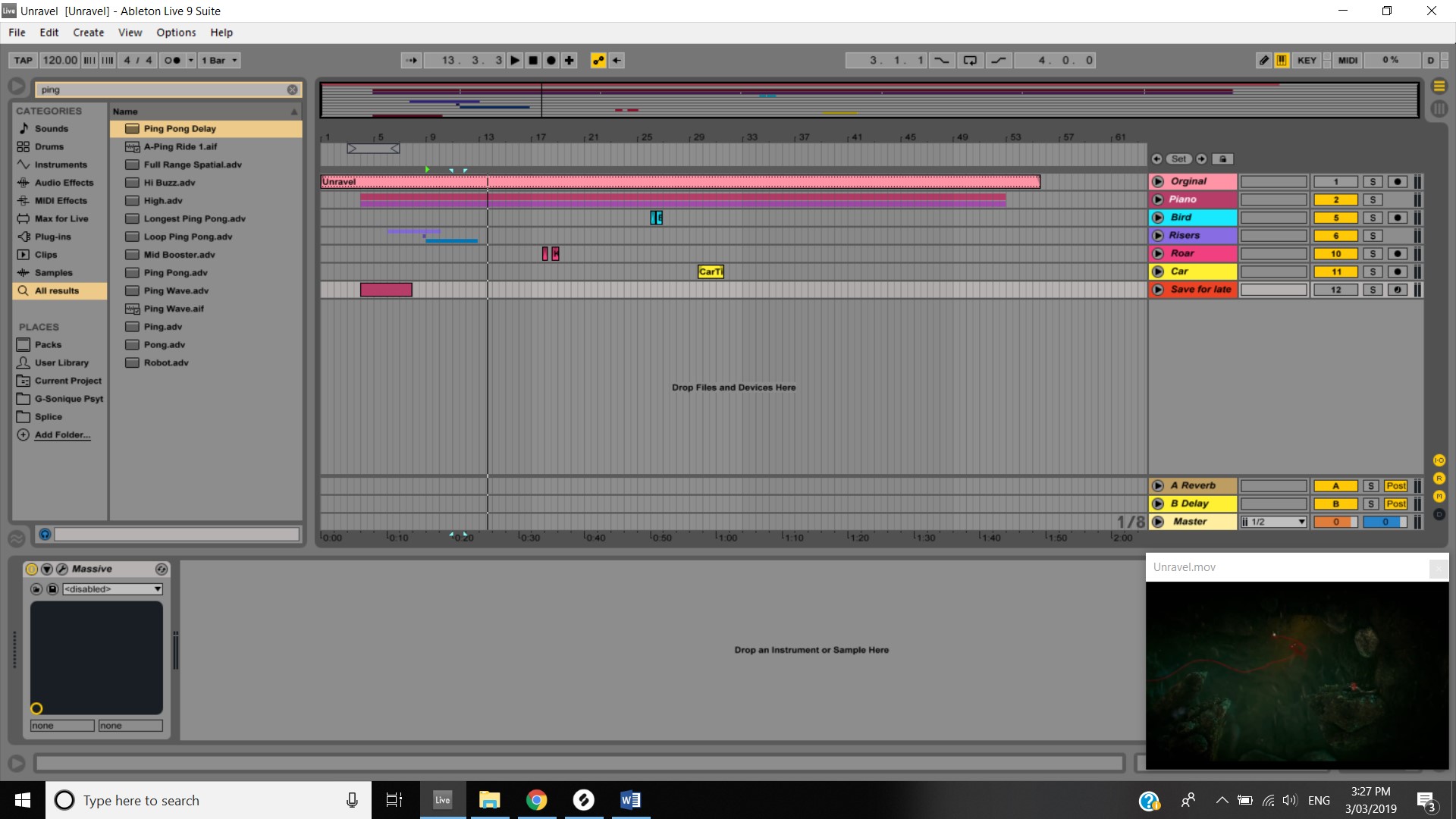
Unravel progress week 5

This is just something basic but I will continue to add to this but it is good to have a direction. I also added sound effects that I found on Splice Sounds to the Unravel composition. These sound effects are for the Birds, the rodent and the car. I also composed a melody that will change and evolve according to what is happening in the video. This is that part :