This week I was still out on this work trip so my ability of getting much work done was limited. However, I did start the week working on my Sine Wave composition. I moved the track panning of Bass 3 back to the middle as I think it sounds better this way. I also renamed Synth 4 and 5 to Chords 1 and 2. This is mainly for ease of work and to create less confusion. I also moved some notes from chords one to chords two.
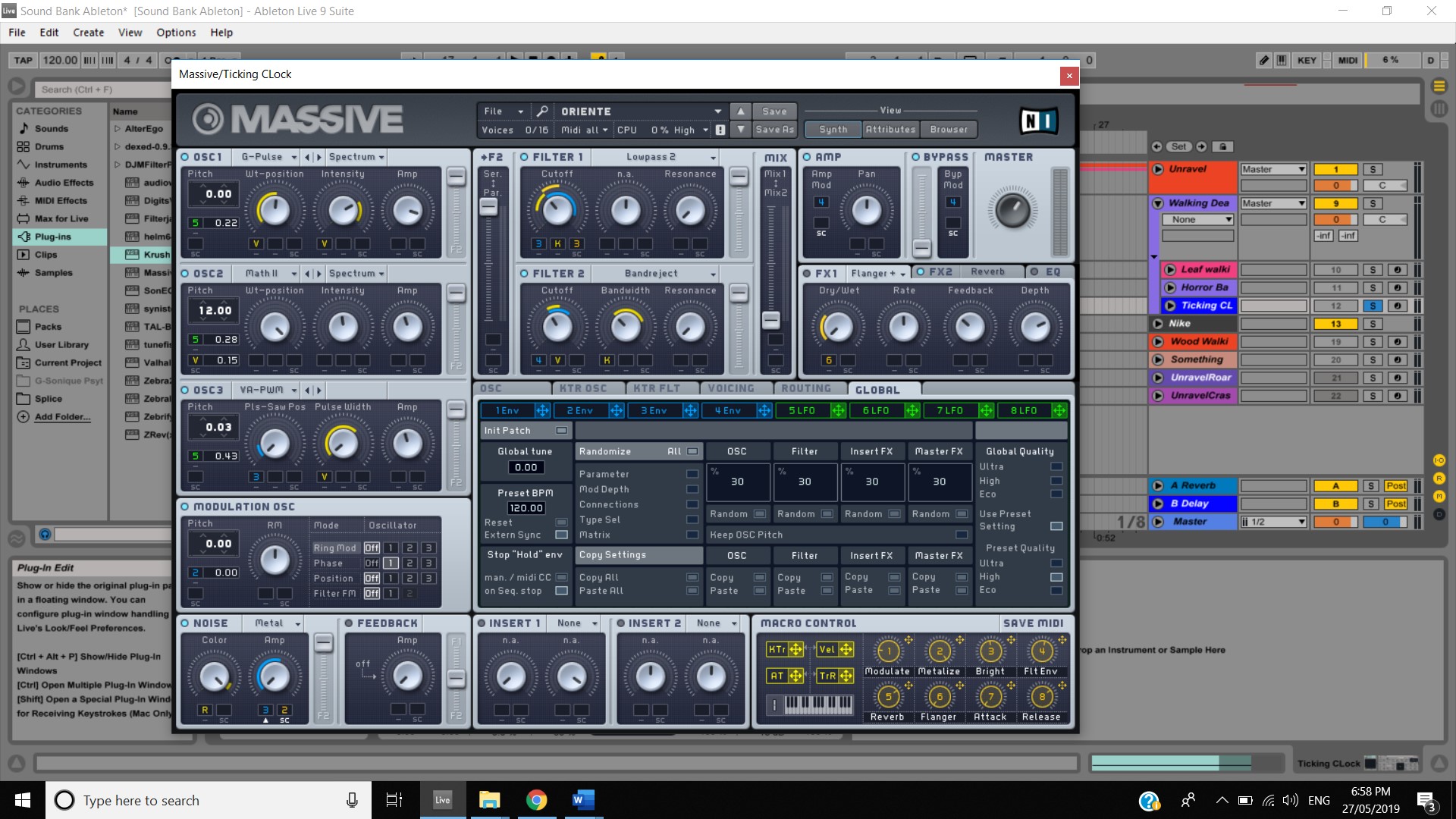
I also continued work on creating noises for the sound design assessment. I created a ticking noise for the walking dead composition for use during the scene where clock piece is shown. This was created using the Oriente preset on the Massive synth and modifying the Oscillators and the band reject filter and the lowpass filter. A loop ticking corpus was also added to this effect and I modified the delay and also the brightness and the inharm. The final result is a dark hit which ticks out. I believe this is very useful for the walking dead theme to support this horror idea.
I also created a Nike word slam for use when the words “Light. Strong. Nike Flyknit.” This will be used to create emphasis on the words which a nice bass hit. This aspect was created using the sub impact preset on massive and the bass roundup preset amp on Ableton. The bass was turned up to 10 on the amp.
I also worked on the footsteps that the zombie makes in the walking dead video. For this I just duplicated the leaf noise used for the unravel video and then turned up the velocity of the notes. I also made some changes to the Oil Barrel reverb preset to make it less crunchy, I turned down the pre delay while also turning down the decay time. The decay time was the main factor of how crunchy the sound was. I also turned down the global volume of the tambourine and the decay on the instrument rack. Finally, I edited the Wide and Dirty preset by turning up the frequency and modifying the width and amount. The final effect I believe achieves the sound of the zombie walking thorough the waist high grass.
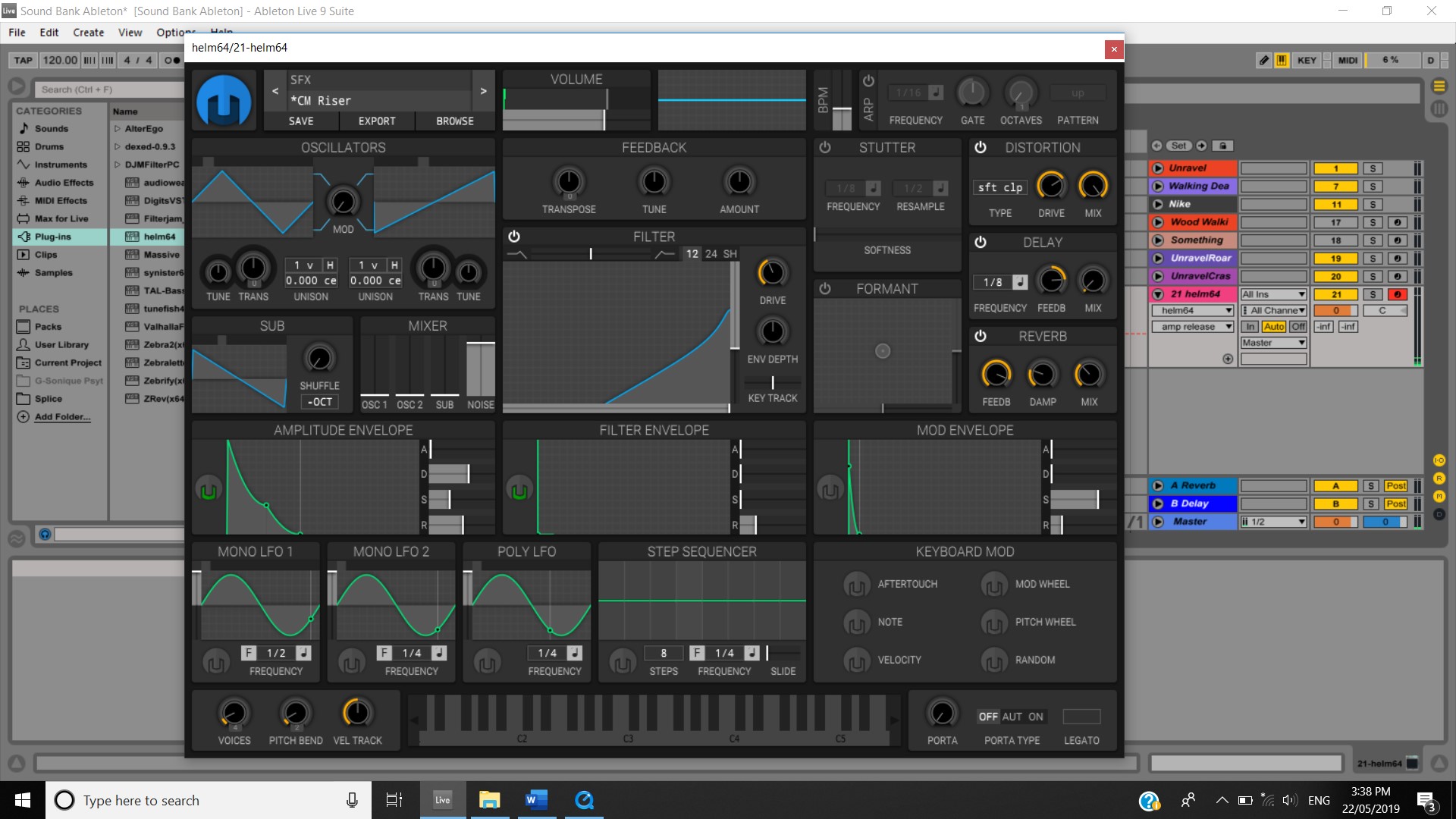
Continuing progress on the Unravel video this week, I started by working on a sliding sound for when the character is sliding down on objects. I opened up Helm and selected the CM Riser preset and modified the ADSR to my liking then recorded into Ableton a few hits of this new sound. I then exported the sound and then re uploaded it into Ableton as an Audio track so I can reverse the audio for use of the sliding effect. I then chopped the clip up and made a short slice, a long slide and an even longer slide. I did this as I noticed that in the video the slides had different lengths. Finally, I added the Empty Club reverb to give it a nice slide feeling, I then adjusted the fades.
On the last night of my work trip we had a fire, I took this opportunity to record a sample on my Samsung phone for use in the Walking Dead video. I am not overly sure if this will work or not but there was a fair amount of wood crackling in the video so I might be able to use this with the help of some sound effects etc.
After returning from my work trip on Saturday I was able to actually check out the activity for this week. This week focused on effects processing #1 and included a video focusing on the many topics within this such as Duplicating and layer tracks as an example. Watching the video, I found it interesting to see how Duplication was used and how it was used to make the snare in this example sound different and give it more life. Watching the lecturer do the example of how to print an AUX input track I definitely felt like I want to use this method but I am yet to know where. I currently have a reverb AUX track so I might try there.

 Music weekly blog